H vs U processors: What To consider before buying a new Laptop/Notebook in 2025
Selecting a processor remains one of the most crucial parts of purchasing a laptop in the year 2025. The mobile CPU market has become more sophisticated than ever, with Intel and AMD both offering multiple lines tailored for different use cases. The most common dilemma: should you buy a laptop powered by an H-series or a U-series processor?
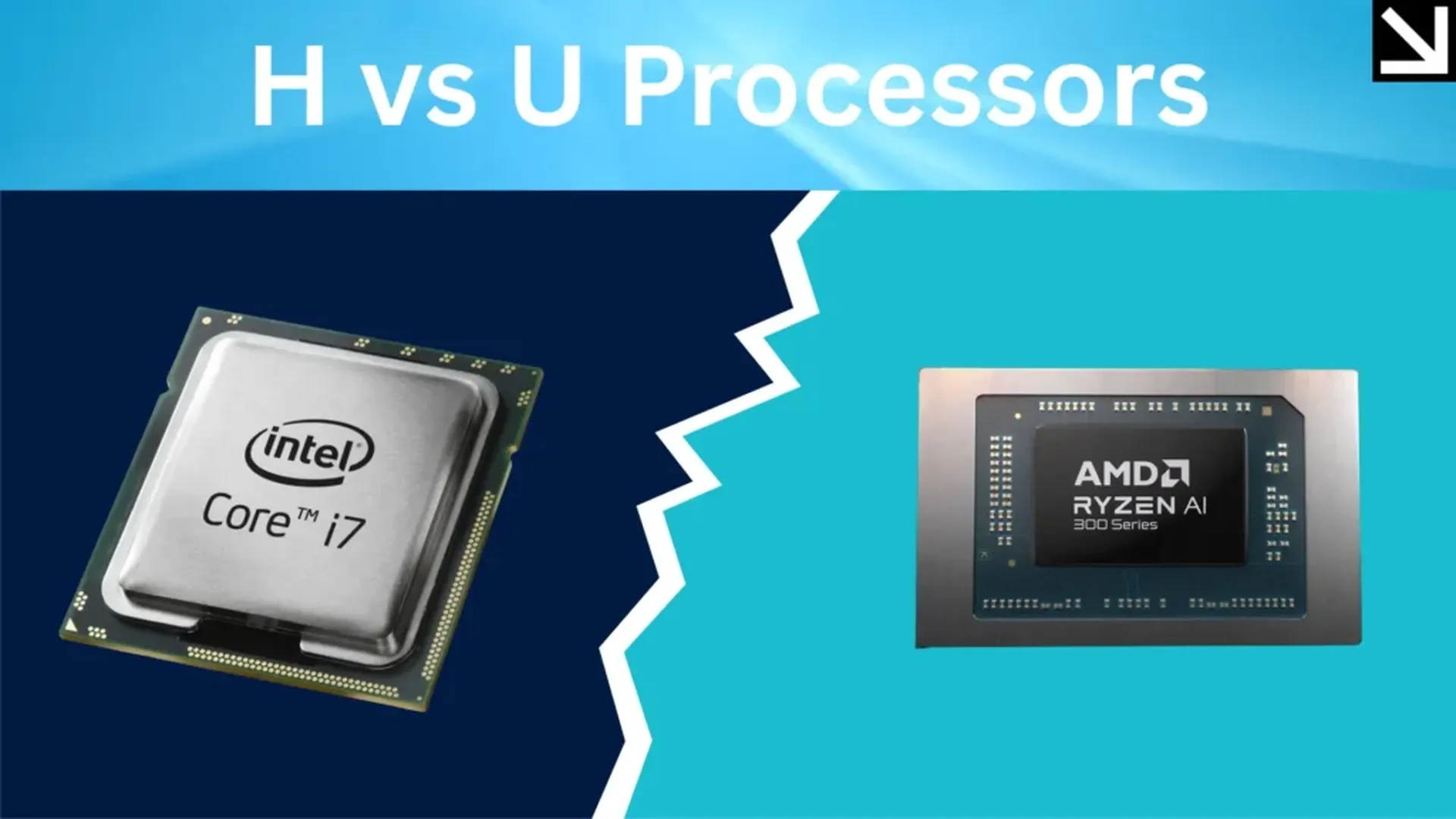
This guide goes in depth to aid you in making the selection best suited for you.
Table of contents
H vs U Series: The Basics
What Do These Letters Stand For?
**H Series (High Performance)
**
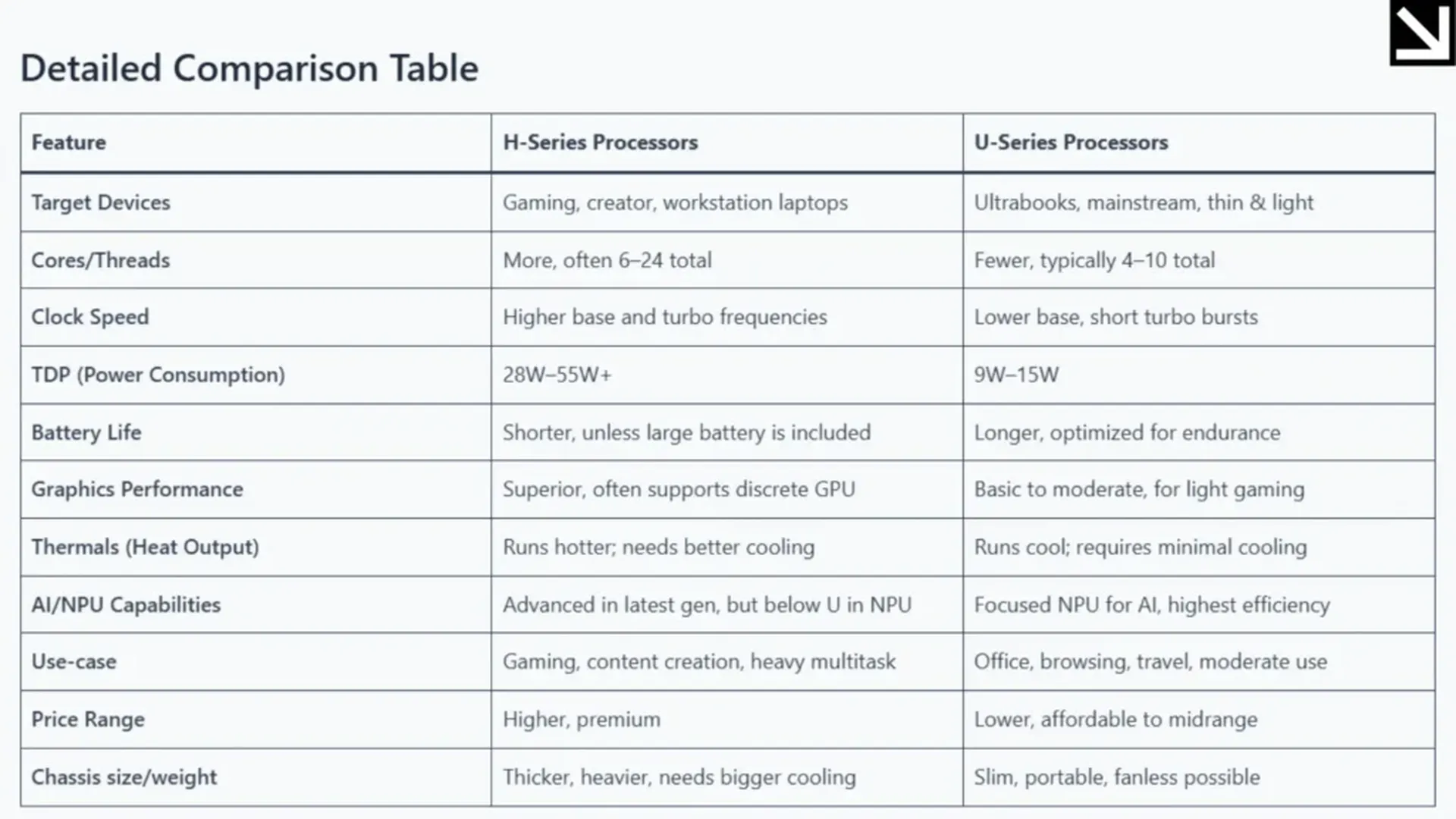
These CPUs are more suited for the demanding content creation, advanced multitasking, and professional workloads of a gaming laptop. H-series CPUs are equipped with greater core and clock speeds, advanced graphics capabilities, and a TDP (Thermal Design Power) of 28 to 45 W or greater.
**U-Series (Ultra-Low Power)
**
The U-series CPUs are designed to power ultrabooks and mainstream laptops with thin-and-light form factors to enhance portability and battery life. These processors have lower base clock speeds and fewer cores compared to U-Series CPUs. Their TDP’s are capped at 9–15W which helps to decrease heat and increase battery life.
Performance Analysis
**1. Processing Power
**
The U-series chips are more than capable of handling day-to-day tasks such as internet browsing, video conferencing and light photo editing. While designed for short spurt power, they are not meant to handle heavy workloads over an elongated period and make use of turbo-boost for short bursts of increased performance.
U-Series chips are designed to power laptops which ultrabook users who handle basic tasks, therefore offering an adequate amount of power. The workloads involve office suites, light photo edits which require basic editing tools and mid-heavy video conferencing. Powered by an efficient laptop battery, U-Series turbo-boost provides added battery life while minimizing heat.
**2. Battery Life
**
The broad design capabilities of a U-Series powered laptop yield an industry-leading battery life. U-Series powered laptops are capable of 10-18 hours of battery life in real-word use. This is achieved when optimized screens, software, and peripherals such as mice or keyboards are used. More intensive tasks power other peripherals such as a U-Series laptop add additional strain, bringing battery life to 4-8 hours even when the software is not optimized. Most laptops of this category are customized with larger batteries which is a handy addition.
Personal Computers (PCs) of this category are energy intensive compared to their peers and require larger frame sizes, limited ease of portability. U applies to ultra-low voltage which is power efficient, while H signifies desktop grade performance which is battery intensive, best suited for multitasking.
**3. Thermals and Portability
**
Expect bulkier H-Series laptops with more fans, thicker chassis, and at times, louder operation. Because additional cooling is unnecessary due to low heat output, U-Series laptops can be extremely slim and even fanless.
**4. AI, NPU, and Integrated Graphics
**
Both Intel and AMD CPUs for 2025 are expected to feature NPUs (Neural Processing Units) along with more powerful integrated graphics to help with local AI tasks.
**H-Series
**
High Intel Arc iGPUs and strong AI performance within the system as a whole comes at a cost.NPUs, especially for AI-on-the-go, are more heavily suited to U-series.“ Heavier computing and graphics work is prioritized in the NPU design, so pure NPU performance is sub par.
**U-Series
**
Focused more heavily on voice commands, image upscaling, and on-device assistants, more efficient versions of themselves are built to power.
**5. Price and Value
**
Better performance, advanced cooling, higher-tier U-Series laptops with premium build materials and at times better screens or discrete GPUs, increase H-Series prices. U-Series laptops offer a more balanced priced range but easily dominate the affordable to mid-premium range, serving best the value-for-money and sustained use for battery power. Who Should Buy What?
**Choose H-Series If
**
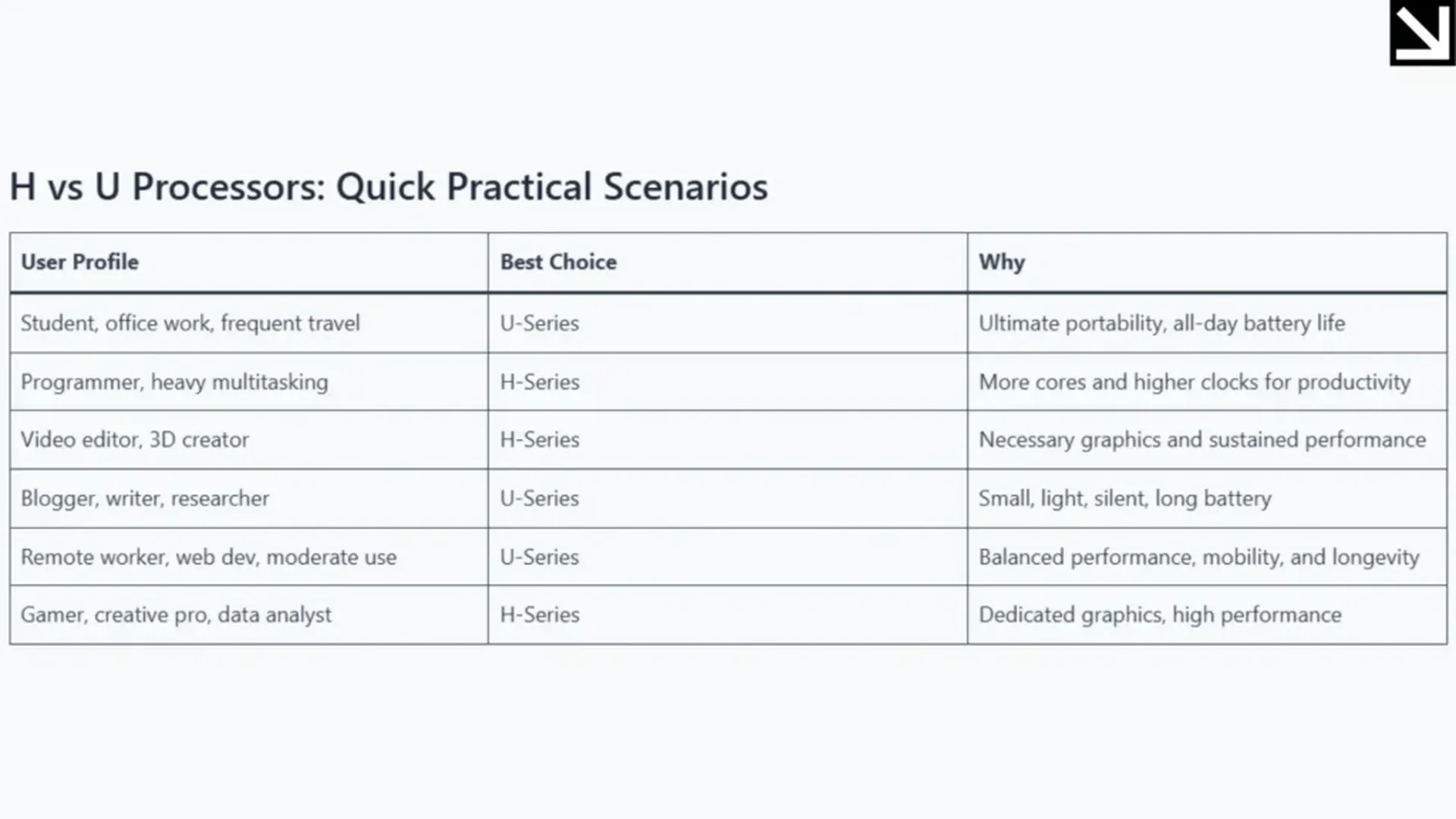
You are a gamer, content creator, software developer, engineer, or anyone using high-demand applications like project compiling, rendering, or virtualization. You need a desktop replacement laptop, or intend to run compute workloads for long durations. Less important are battery life, portability, and mobility, but speed and upgradability are critical.
**Choose U-Series If
**
You need to be on the road often, and are looking for the longest battery life available. Your typical work schedule includes office work, browsing, media, or light photo and video editing. You prefer a light and portable machine, require whisper-quiet operation, or a fanless device. You require AI dictation and image processing to work efficiently for background blurring during video calls.“When on the road or working in power outlet-challenged environments, the battery dominance of U-series laptops is unmatched.”
Additional Practical Considerations
**Upgradeability
**
With H-series laptops, the larger chassis sometimes makes RAM and storage upgrades easier as the components are removable. U-series laptops, while smaller, are more compact as they aim to save space and often solder components.
**Thermal Management
**
The more powerful H-series laptops can sustain high speeds to complete demanding tasks due to stronger cooling systems. U-series laptops use battery and temperature control measures, making them more power and temperature efficient, but are more likely to throttle under load.
**Device Price and Ecosystem
**
U-series laptops typically feature budget and midrange ultrabooks, while H-series laptops are in the premium price range alongside top-tier GPUs and high-resolution screens.
**OS And Driver Support
**
Most mainstream applications perform adequately on both systems. However, for industry-grade creative applications, as well as for auxiliary NPUs, it’s best to double-check. Also, some cutting-edge advanced AI functionalities may only be suitable in more modern hardware.
Final Thoughts
Do not aim to focus solely on the processor. Consider the RAM, ports, keyboard, screen, and especially the battery. In frequent, day-to-day tasks, these components could matter just as much, if not more, than the processor. Purchase for what you consider as your, “Most demanding regular task.” For someone who does not need H-series specs, it would be irrational to purchase something so powerful. However, for long-term investment and growth, underspecing is not advisable either.
Tests on battery are accessories to the purchase: Look for accurate accounts for daily use as opposed to stated numbers, especially for laptops in the H-series while on battery, as all-day usage is different than running on battery. The aspects of cooling and weight matter: being bulkier and louder, H-class laptops would not be suited for someone who enjoys silence while working. Looking to the future, both the U and H processors are predicted to be remarkable in 2025, personalized for distinct consumers.
Focus clearly on your goals, line them up with the correct series of processors, and the investment you make is guaranteed to satisfy you for many years to come.
Also read: Airtel Partners With Perplexity—Free AI Subscription for Subscribers

Abhishek
Founder, and a NIELIT Certified Professional with over 12+ years of experience in the technology sector, specializing in high-end technical architecture and Android development.